An old game page can tell you what a title was like without providing a working download for a current PC. Before following a link from an archive, look for the developer or legitimate store's current listing. Confirm the exact title and edition, then read the present requirements.
Treat a "free download" label cautiously when the surrounding article is many years old. It may have referred to a time-limited trial, an old promotion or an installer that no longer exists. Check the current store terms before calling the game free or telling someone else to install it.
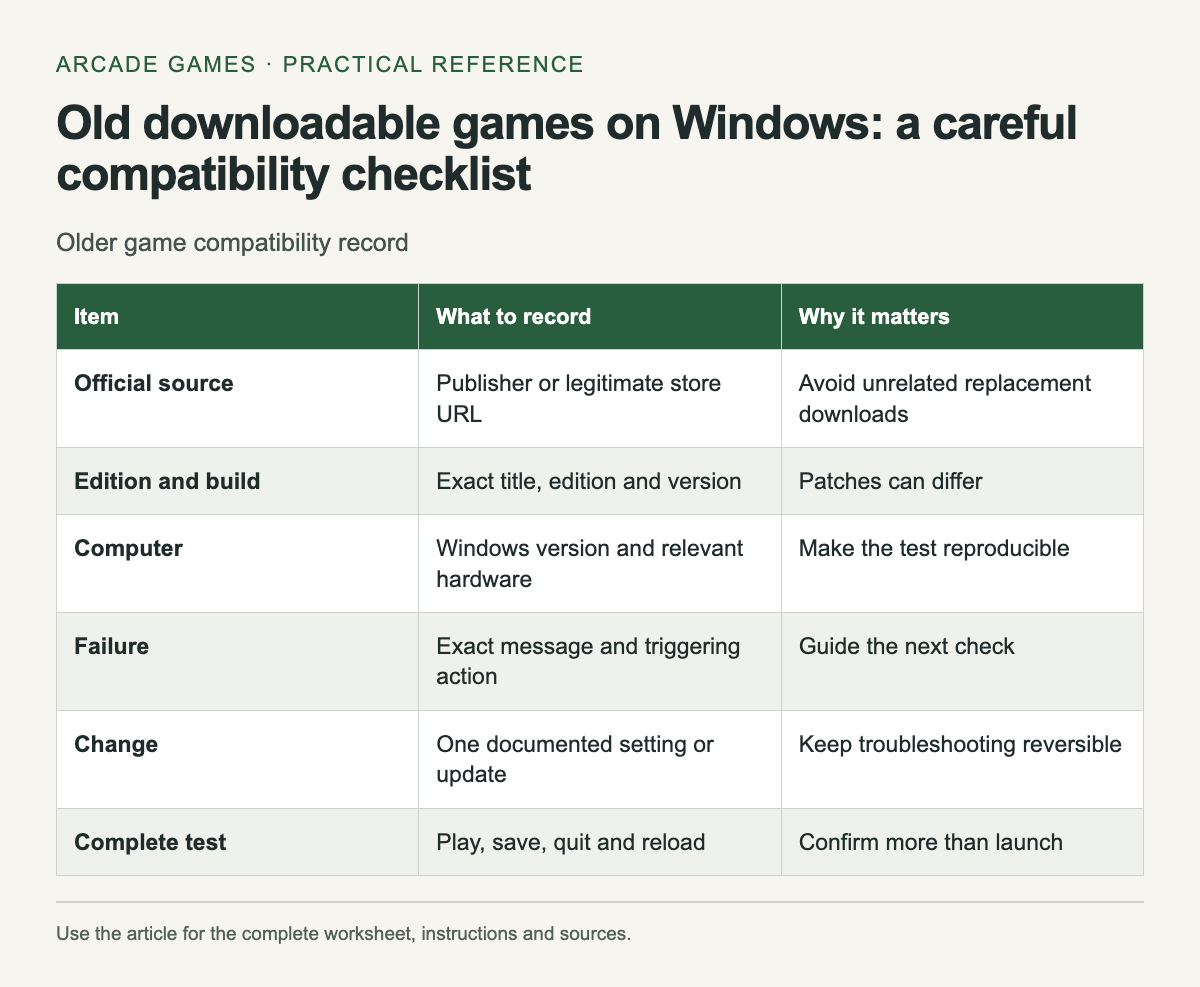
Keep a compatibility record
Scroll the table sideways on a narrow screen to see every column.
| Item | What to record | Why it matters |
|---|---|---|
| Official source | Publisher or legitimate store URL | Avoid unrelated replacement downloads |
| Edition and build | Exact title, edition and version | Patches can differ |
| Computer | Windows version and relevant hardware | Make the test reproducible |
| Failure | Exact message and triggering action | Guide the next check |
| Change | One documented setting or update | Keep troubleshooting reversible |
| Complete test | Play, save, quit and reload | Confirm more than launch |
Record the error exactly if installation or launch fails. "Nothing happens" is still a useful observation when paired with the action, game version and operating system. Do not replace it with a guessed diagnosis such as a missing library until there is evidence.
Start with the current publisher build
Microsoft's compatibility guidance recommends checking for an updated app or publisher version and using the Program Compatibility Troubleshooter when appropriate. Follow the current instructions for your Windows version.A title's old minimum requirements are not proof of modern compatibility. They describe the environment the publisher listed, which may predate changes to Windows, graphics drivers or an activation service. Look for current support information covering the edition you can actually obtain.
Avoid guessing with replacement files
Do not download a loose executable or DLL from an unfamiliar site because a search result promises to fix the error. Use the game's installer, the publisher's patch or the relevant official runtime source when documentation identifies a requirement.
Keep security controls enabled. If the only suggested workaround requires disabling protection permanently or bypassing activation, stop and seek official guidance or a supported release. The goal is a playable game on a maintained system, not a chain of unexplained changes you cannot undo.
Test one change at a time
Write down the original setting before trying a documented compatibility option. Relaunch the game and repeat the same action. If the change has no effect, restore it unless the support instructions say to retain it for the next step.
A successful launch is only the beginning. Test normal controls, sound, a level transition and saving. Quit normally and reload. An old game that reaches its title screen may still fail at a display change or when writing its save.
Protect existing progress
Before reinstalling, find the publisher's documented save location or backup procedure. Uninstalling and reinstalling can affect data differently across games. Keep a copy only through a method you understand, and avoid overwriting the sole working save while testing an older build.
If the game uses an account or activation service, check whether that service still supports installation. A valid old receipt can be useful for support, but it does not establish that an abandoned service can be restored locally.
Keep the archive useful
When revisiting an old review, separate the historical description from current availability. A link that no longer works should be treated as a research lead, not an invitation to substitute an unofficial mirror. Search the exact title through its legitimate publisher or store.
After a successful test, save the working edition, Windows version and changes you made. That record makes a future reinstall easier and gives another reader a specific report to compare with their own setup. Avoid expanding one successful test into a claim that the game runs on every modern PC.
One historical title to research through its current official source is Cake Mania 3 archive entry.


No comments:
Post a Comment