
Test an offline game before you lose your connection. Installing it is only the first step: a launcher may need an initial sign-in, an update may be unfinished, or a particular mode may depend on a server. The useful test is launching and playing the exact mode you plan to use without the network.
Prepare on the device you will take. A successful test on your desktop does not establish that a laptop has the same files, account state or settings. Keep the preparation close enough to departure that you can verify nothing important changed afterward.
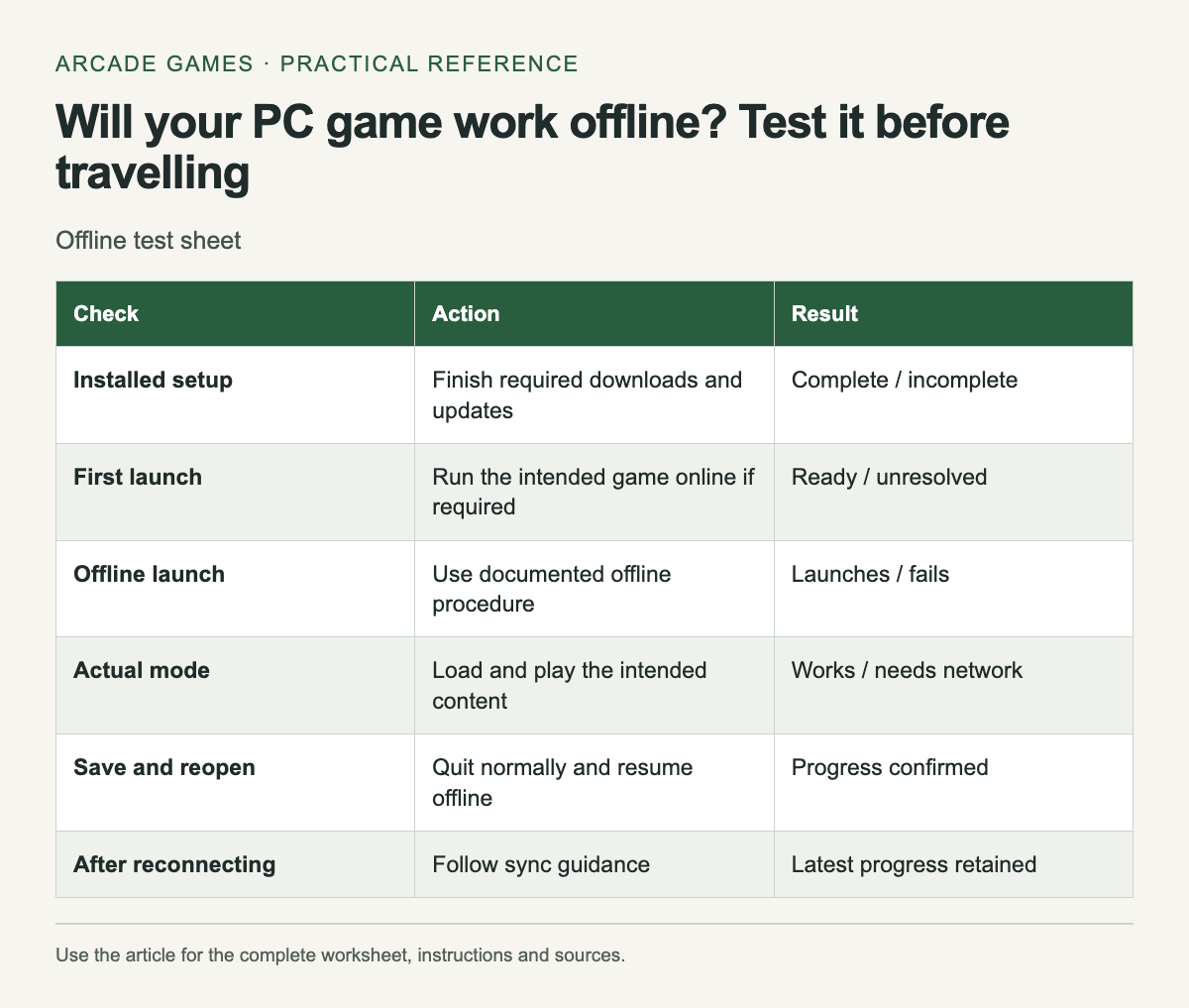
Make an offline-readiness record
Scroll the table sideways on a narrow screen to see every column.
| Check | Action | Result |
|---|---|---|
| Installed setup | Finish required downloads and updates | Complete / incomplete |
| First launch | Run the intended game online if required | Ready / unresolved |
| Offline launch | Use documented offline procedure | Launches / fails |
| Actual mode | Load and play the intended content | Works / needs network |
| Save and reopen | Quit normally and resume offline | Progress confirmed |
| After reconnecting | Follow sync guidance | Latest progress retained |
Write a date beside the successful test. It describes a particular installed setup, not a guarantee that a future update will behave identically. If you update the game or client before leaving, repeat the launch check.
Finish the online preparation
For Steam, Valve's Offline Mode instructions say to start online, finish updates and launch the intended games to check for remaining installation requirements before going offline. Follow the current instructions in your client rather than relying on a remembered menu path.
Other stores and launchers have their own rules. Read them separately. Do not assume that a game's single-player label removes every account or activation requirement, or that a streaming service will work without a connection simply because the underlying game is single-player.
Test the mode you actually want
Continue past the title screen into normal gameplay. Start or load the intended save, use the controls and play a short section. If you want a specific challenge or expansion, include it in the check instead of testing only the base game's opening.
Try saving through the game's normal system, quit and relaunch while still offline. Confirm the expected progress returns. This catches a different problem from a game that merely refuses to launch.
Plan for more than one session
A trip may involve a restart or a depleted battery. Test a normal close and reopen so your plan does not depend on keeping the application suspended indefinitely. Keep enough storage for the game and its ordinary operation, and check the device's power needs separately.
Download any official manual or control reference you expect to need through a supported method. A useful support bookmark is less useful when the page requires a network you will not have. Keep essential notes locally without copying account secrets into them.
Keep online features out of the promise
Leaderboards, cloud synchronization and online multiplayer may be unavailable even when a local mode works. Record which mode passed rather than marking the whole game "fully offline." If an achievement or score upload matters, consult the game's documentation about what happens after reconnecting.
Do not bypass activation or install unknown patched executables to force offline access. If the documented setup does not meet your needs, choose another game whose supported mode you can test successfully before travelling.
Reconnect carefully
After the trip, allow normal synchronization to finish before continuing on another device. If a conflict appears, compare the available progress information and follow the platform's guidance. Avoid choosing an older copy merely because its timestamp looks unfamiliar after travel.
Keep the successful checklist for your next trip, then recheck it after significant changes. A five-minute launch-and-load test on the actual travel device is more informative than a broad list that labels games offline without naming the tested mode or setup.
When revisiting an older download, start from its current official availability; the archive includes Chicken Invaders 3 archive entry.


No comments:
Post a Comment